About the system
Announce Again helps more people access and understand public announcements — without asking your venue to replace the PA system it already relies on.
About
PA systems are often hard to hear; echo, background noise, poor acoustics and regional accents can all get in the way - and once an announcement has been made, it's gone. Anyone who missed it, was momentarily distracted or couldn't quite make it out, has no way to go back and check.
d/Deaf and hard-of-hearing visitors can be shut out of the information entirely. Visitors who don't speak English as a first language may hear the words but miss the message. For everyone else, a platform change, gate update, evacuation order or a safety instruction announced only once is easy to lose in a busy venue.
What your visitors get
We transcribe and translate all of your announcements, then make them available through the Announce Again app on visitors' own devices while they're at your site. They can read what's just been said in their own language, at their own pace, and check back on it later if they need to, rather than relying on catching it correctly the first time. For the users who don't have the app and need to listen in a hurry, our webpage makes all announcements available to anyone on the premises.
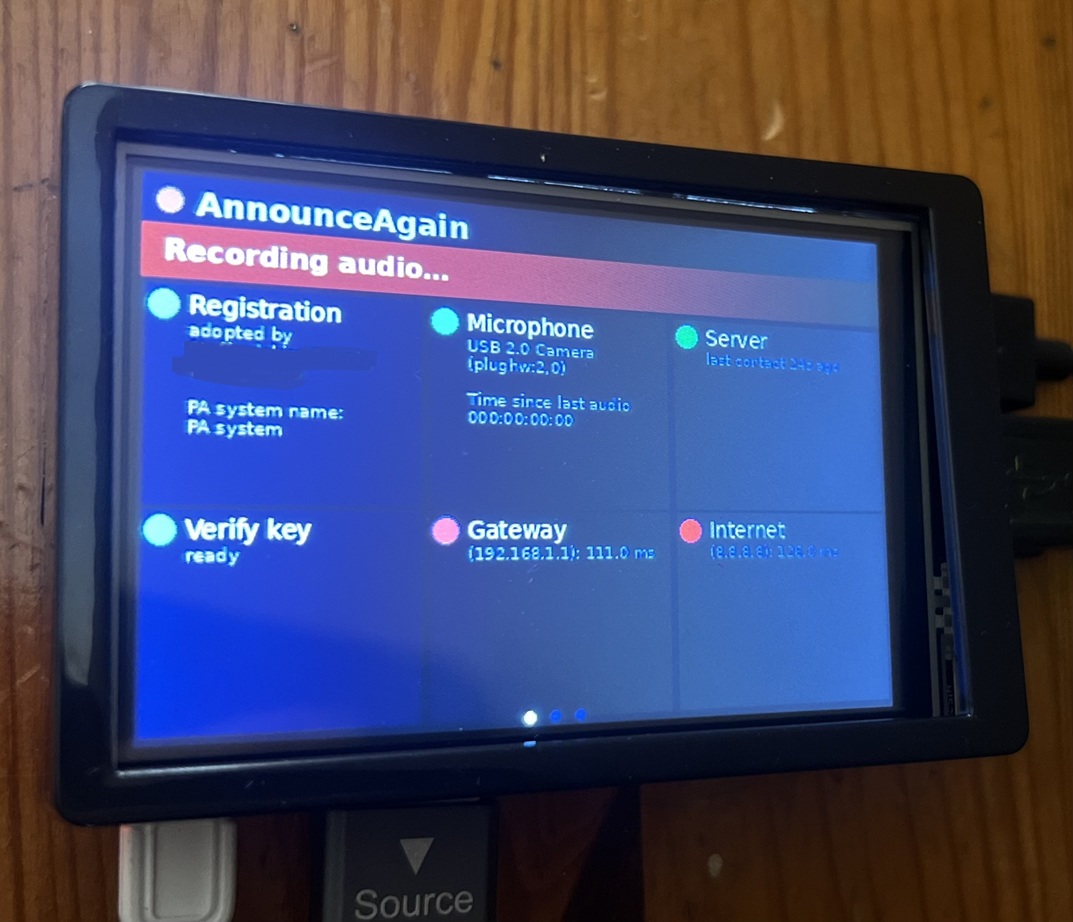
The Recorder Box
Announce Again includes a physical box at the venue - the "Recorder Box". It captures public address announcements and sends them securely to our servers for transcription and translation.
How it connects to your PA
We understand that you will already have your own PA system and no intention to replace it. The AnnounceAgain Recorder Box connects directly to your existing PA system.
Where a direct connection isn't practical, we position a microphone at a PA speaker to hear the announcements (filtered to avoid overhearing anything it shouldn't).
Why venues choose it
You don't need to replace any equipment, retrain staff or commit to a long contract to offer this. It sits alongside the PA system you already have, and you can cancel any time.
Further reading
- Technical / installer information — hardware, connection options and self-install guide
- FAQs — installation, pricing, contracts and privacy
- Live demo — try the real product interface with sample data
- Set up my venue — sign up to add your venue to the system
- Pricing — monthly subscription, additional usage, and setup options